Product Summary
- Works w/ Epson BrightLink Projectors
- Interactive Drawing Function
- Left and Right Click Mouse Functions
- Mouse Dragging Function
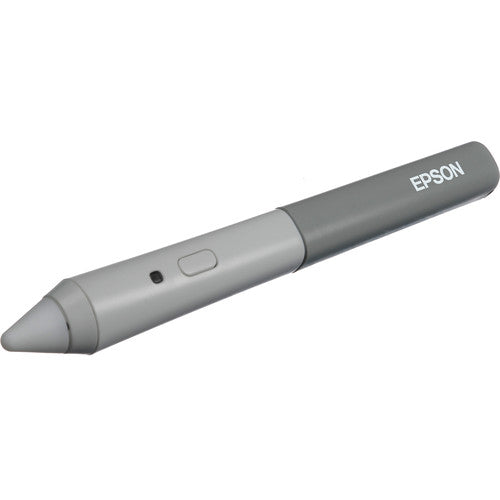
With Epson's Easy Interactive Pen you can tap into some of the more brilliant functions of their BrightLink Interactive Projector. Once you've installed the appropriate software (such as RM Easiteach, TeamBoard, or Easy Interactive Tools) and calibrated your computer with the projector, you can actually "write" on your presentations as you give them using this special, inkless interactive pen. As with the projector, this infrared pen doesn't require any kind of special whiteboard. Use a standard white board, blackboard, a wall -or even wood paneling in a pinch.
You have the option to use this pen in whiteboard or interactive mode. While both modes have some overlapping features, in whiteboard mode, you will be able to start from a completely blank screen or you can import images, then "draw" on your presentations, save them, and print them out. In interactive mode, you have the option to view whatever is on your computer screen, such as web pages, images, Excel sheets, Word documents, or whatever else. You will also have the further option to annotate each screen that appears, so that you can write or draw on whatever you're projecting and save it.
While the pen only has one button, it nevertheless offers a few different functions, if you wanted to use it as a mouse. To right-click, hold the one-touch button and tap the image surface with the pen's tip; to left-click, simply tap the image surface with the tip. To double-click, tap the image surface twice, and to drag, tap the image surface and drag the pen tip. Beyond these features, the pen comes with two rechargeable "AAA" batteries and also has a helpful battery light indicator to let you know when you need to replace them.
Epson Easy Interactive Pen for Epson Interactive BrightLink Projectors

$77.00
Product Description
- Works w/ Epson BrightLink Projectors
- Interactive Drawing Function
- Left and Right Click Mouse Functions
- Mouse Dragging Function
With Epson's Easy Interactive Pen you can tap into some of the more brilliant functions of their BrightLink Interactive Projector. Once you've installed the appropriate software (such as RM Easiteach, TeamBoard, or Easy Interactive Tools) and calibrated your computer with the projector, you can actually "write" on your presentations as you give them using this special, inkless interactive pen. As with the projector, this infrared pen doesn't require any kind of special whiteboard. Use a standard white board, blackboard, a wall -or even wood paneling in a pinch.
You have the option to use this pen in whiteboard or interactive mode. While both modes have some overlapping features, in whiteboard mode, you will be able to start from a completely blank screen or you can import images, then "draw" on your presentations, save them, and print them out. In interactive mode, you have the option to view whatever is on your computer screen, such as web pages, images, Excel sheets, Word documents, or whatever else. You will also have the further option to annotate each screen that appears, so that you can write or draw on whatever you're projecting and save it.
While the pen only has one button, it nevertheless offers a few different functions, if you wanted to use it as a mouse. To right-click, hold the one-touch button and tap the image surface with the pen's tip; to left-click, simply tap the image surface with the tip. To double-click, tap the image surface twice, and to drag, tap the image surface and drag the pen tip. Beyond these features, the pen comes with two rechargeable "AAA" batteries and also has a helpful battery light indicator to let you know when you need to replace them.
Purchase Orders
We accept Purchase Orders from all Schools, Universities, Major Government Agencies and Not-for-profit Organizations within the United States and Canada Only. All Purchase Orders are subject to approval.
Simply email, fax or mail your purchase order and please ensure your P/O contains the following information:
- Contact name, email address & telephone number. Note: An email address is required to receive order/shipping confirmation.
- Billing name & address.
- Shipping address.
- Tax ID#. For tax exempt orders, please see the Tax Exempt information below.
- Purchase Order Number.
- Date needed. Please note: Up to 3–5 days are needed to process requests. This does not include delivery time.
- Authorized signature. Your purchase order can only be accepted when accompanied by the signature of the officer authorizing the purchase and when submitted on your organization's official purchase order form or letterhead.
- Purchase orders must be in excess of $75 excluding shipping. All prices are in USD.
- Sales tax is charged only on orders shipping to the state of Florida.
Submit Your Purchase Order
Please email completed purchase orders to Sales@OfficeWonderland.com .
You can also fax it to: (786) 916-5963
Or mail it to:
OfficeWonderland.comAttn: Purchase Orders
20400 NE 16th PL
North Miami Beach, FL 33179
Once we have all the information requested above, an account and order will be created.
Please Note
- Please allow 3–5 days for us to process requests.
- Confirmation emails are sent when the order is placed and another email is sent when the order ships.
- Please make all checks payable to OfficeWonderland Ltd. at the address referenced above.
- Payments on PO orders are due within 30 days.
Terms
We operate with a Net 30 Day payment arrangement for approved purchase orders. Payment is expected to be made in full not more than 30 days after your order is processed.
In the Box
- <ul class="list_2PrPlGzuLkf0X14N_bDWx-" data-selenium="includesInTheBoxList"> <li class="item_3MQbEPC9w5I28P90MidSHO" data-selenium="includesInTheBoxItem">Epson Easy Interactive Pen for Epson Interactive BrightLink Projectors</li> <li class="item_3MQbEPC9w5I28P90MidSHO" data-selenium="includesInTheBoxItem">Easy Interactive Pen</li> <li class="item_3MQbEPC9w5I28P90MidSHO" data-selenium="includesInTheBoxItem">2 x Rechargeable AAA Batteries</li></ul>