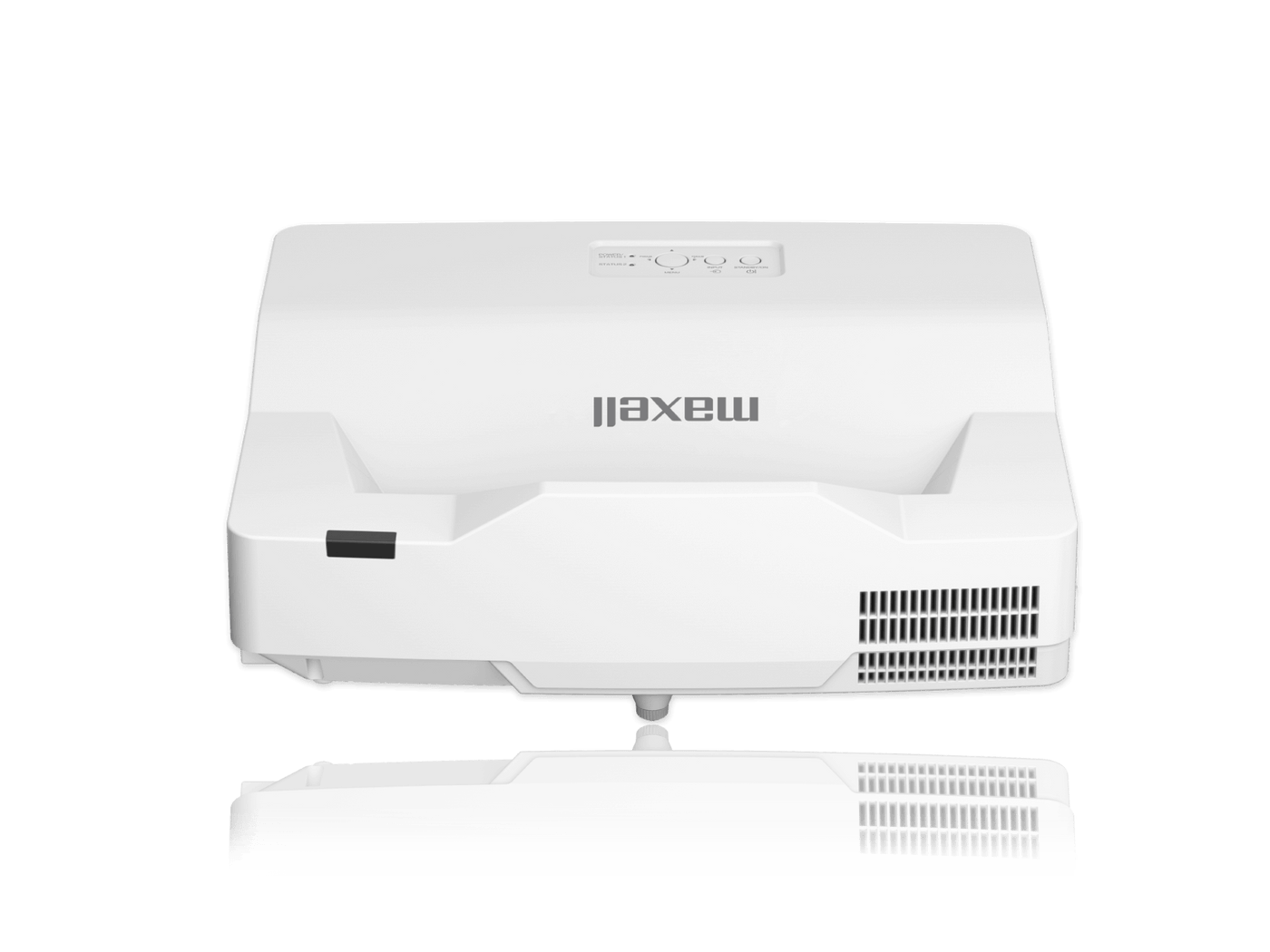
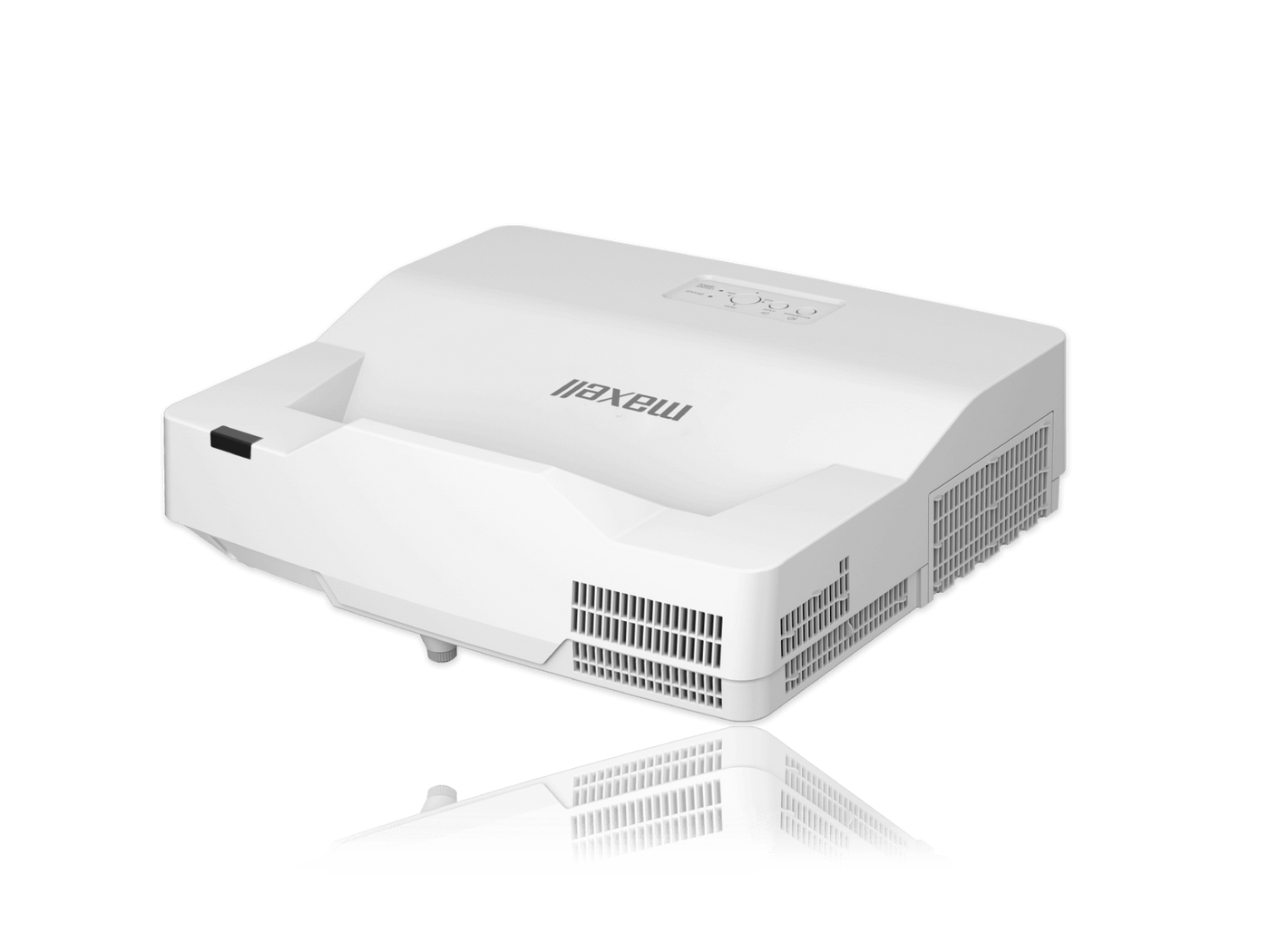
Maxell MP-TW3011 WXGA 3LCD Conference Room Ultra Short Throw Projector
Maxell MP-TW3011 WXGA 3LCD Conference Room Ultra Short Throw Projector is backordered and will ship as soon as it is back in stock.
- Manufacturer Warranty Included
- Lifetime Technical Support from OfficeWonderland
- No Sales Tax for Qualified Tax-Exempt Organizations
- Purchase Orders Accepted (Net 30 Available)
Maxell MP-TW3011 WXGA 3LCD Conference Room Ultra Short Throw Projector
Key Features
- WXGA 1280x8003,300 ANSI Lumens500,000:1 Contrast Ratio
Purchase Orders & Tax-Exempt
We proudly support schools, universities, government agencies, and qualified businesses.
- Net 30 Purchase Orders
- Tax-Exempt Sales for Eligible Organizations
- W-9 Available Upon Request
- WXGA 1280x800
- 3,300 ANSI Lumens
- 500,000:1 Contrast Ratio
Maxell MP-TW3011 INTERACTIVE FEATURES
INTERACTIVE SOFTWARE:
This product includes a drawing application that offers more sophisticated drawing functions.
Neatly Convert Letters or Figures:
You can automatically convert freehand shapes into geometric objects and handwriting into text on projected images. These operations are easily accomplished with the interactive pens.
Select a Variety of Useful Tools:
The interactive pen lets you operate a compass, ruler, protractor, stopwatch, and other useful tools on the projected image, making lessons even easier to understand.
ADVANCED WRITING/DRAWING CAPABILITIES:
This projector comes with a built-in function allowing you to directly draw and write on the projected screen without a PC.
Directly Draw on the Projected Screen:
You can write and draw on images projected from connected devices such as a document camera.
Save and Open Drawn Screens:
You can save the image drawn on the projector screen. This enables you to easily manage what you’ve taught in the past.
Finger Touch Option:
This projector incorporates the optional finger touch unit that enables the projector to detect finger touch activity on the screen area. It allows users to annotate and interact with the material presented. Instead of simply showing static images, students and teachers can interact with on screen material for hands-on interactivity that brings learning to life. When using the finger touch unit in a bright environment, auto-calibration may not be used. Must be used on a flat screen. The finger touch unit may not be used in locations where there is sunlight or light from an incandescent light source.
Multi Functions Timer:
This timer can support different applications where the monitoring of time is needed such as a presentation, class duration, examination timer, etc.
Multiple-Screen Synchronization:
Projectors are synchronized by the connection of the 3.5mm stereo audio cable between the projectors. This enables annotation
across a large screen.
Convenient Painter Tool:
Equipped with the Pen, Eraser, Undo, Redo, functions. You can also change the pen color and thickness. With the easy-to-use Painter tool bar, you can teach classes smoothly.
Multiple Interactive Pens:
With up to 6 interactive pens, pupils can do more than just watch–they can interact with the onscreen content. Let them enjoy providing answers, showing their understanding and becoming involved in lessons like never before.
Windows® Multi Touch:
Windows® 8.1/10 multi touch allows users with touch enabled Windows® 8.1/10 systems to operate the PC directly from the interactive screen with up to 6 pens or touches including Windows® 8.1/10 gesture.
Smart Device Control:
Plugging the optional USB wireless adapter into the projector and using the dedicated free online application developed by Maxell, projectors can be controlled from a tablet or smartphone.
UNIQUE FEATURES
Starboard Interactive Presentation Software:
Maxell’s world-class interactive StarBoard Software (SBS) is the next standard in collaboration, information sharing and dynamic presentation software. With a customizable interface and toolbar, Starboard streamlines your workflow and improves production. While you would expect to pay hundreds of dollars extra for similar interactive software from the competition, Maxell bundles it as a standard feature with each interactive projector.
Accentualizer:
Maxell original technology makes pictures look more real by enhancing sharpness, gloss and shade to make pictures as clear as pictures on a flat-panel device. You can also adjust the effects by three levels according to your surroundings so that the colors of projected images are the actual colors of the objects they represent.
Aspect Zoom:
Aspect Zoom makes the maximum image size on the screen while keeping the aspect of the image.
HDCR2 (High Dynamic Contrast Range):
When average projectors are used in bright rooms, the darker colors of an image deteriorate and images become unclear. Using this function, blurred images caused by room lighting or outside light sources are corrected, and an effect similar to increasing contrast occurs. The recent enhancement to HDCR2 achieves not only auto tone enhancement but also auto color enhancement. This results in clear images even in bright rooms.
Image Optimizer:
The Image Optimizer automatically adjusts HDCR and Accentualizer to improve visibility as lamp brightness dims over time.
MHLTM:
MHL (Mobile High-Definition) allows users to mirror their phone/tablet screen with the projector display. It is compatible with any and all apps.
Perfect Fit 2:
Enables the user to adjust individual corners and sides independent of one another. Perfect Fit 2 provides vertical and horizontal digital correction of either barrel or pin cushion distortions. This feature helps correct geometric and complicated distortions. Perfect Fit 2 allows the projected image to fit correctly to the screen quickly and easily.
Variety Rich Templates:
You can conveniently use the interactive function with over 100 pre-installed templates including graphs, graphic organizers, plain color and many more.
-
Dimensions
-
Aspect Ratio
-
Native Resolution
-
Contrast Ratio
-
Throw Distance
-
Lens
-
Inputs
-
Outputs
-
Display Technology
-
Wireless Networking
-
Speakers
-
Economode
-
Lamp Life
-
Short Throw
-
Aspect Ratio
-
Image Size Diagonal
-
Lens Shift
-
Data / Video Signals
-
Digital Keystone
-
Unit Weight
-
Projector Methods
-
Dimensions (WxDxH)
-
Dimensions
-
Aspect Ratio
We accept Purchase Orders from all Schools, Universities, Major Government Agencies and Not-for-profit Organizations within the United States and Canada Only. All Purchase Orders are subject to approval. Simply email, fax or mail your purchase order and please ensure your P/O contains the following information:
- Contact name, email address & telephone number Note: An email address is required to receive order/shipping confirmation
- Billing name & address
- Shipping address
- Tax ID# (for tax Exempt orders, please see TAX EXEMPT section below)
- Purchase Order Number
- Date needed (please note: Up to 3-5 days are needed to process requests. This does not include delivery time.
- Authorized signature (Your purchase order can only be accepted when accompanied by the signature of the officer authorizing the purchase and when submitted on your organization's official purchase order form or letterhead.)
- Purchase orders must be in excess of $75 (excluding shipping). All prices are in USD$
- Sales tax is charged only on orders shipping to the state of FL
Please email completed purchase orders to Sales@OfficeWonderland.com.
You can also fax it to: (786) 916-5963 or mail it to:
OfficeWonderland.comAttn: Purchase Orders
20400 NE 16th PL
North Miami Beach, FL 33179
Once we have all the information requested above, an account and order will be created.
Please note the following:
- Please allow 3-5 days for us to process requests
- Confirmation emails are sent when the order is placed & another email is sent when the order ships
- Please make all checks payable to OfficeWonderland Ltd. at the address referenced above.
- Payments on PO orders are due within 30 days
- You can download a copy of our W-9
Looking for the W-9 form?
- Click here to download the latest version of the IRS W-9 form.
Terms
We operate with a “Net 30 Day" payment arrangement for approved purchase orders. Payment is expected to be made in full not more than 30 days after your order is processed.